📄 监控服务常见功能使用 _ PIGCLOUD
](https://www.pig4cloud.com/ )
产品
商业版
生态🔥
📄 监控服务常见功能使用 pigcloud
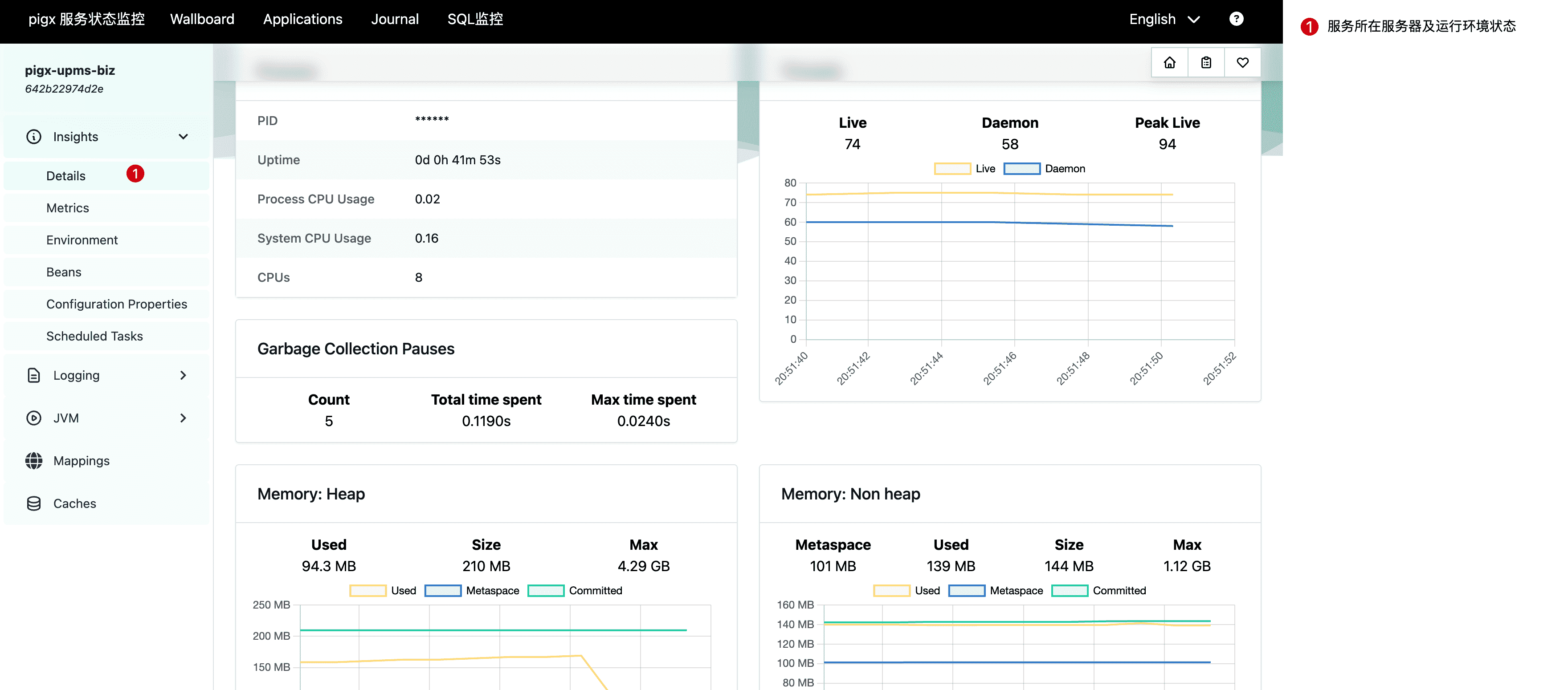
# 服务环境状态查看当前面板将展示微服务所在宿主机的磁盘、Java 运行环境、堆栈内存以及其他中间件的资源占用等信息。
# 在线日志查看服务部署在服务器上,大部分公司都有对服务器的安全管理要求。一般开发人员无法登录服务器,因此无法查看后台日志。这经常导致应用系统报错,但程序员不能快速定位错误,因为无法查看详细的服务日志。为了解决这个问题,可以使用 Spring Boot Admin (pigx-monitor)组件实现在线查看后端服务日志。这样,就不需要去服务器本地查看了。
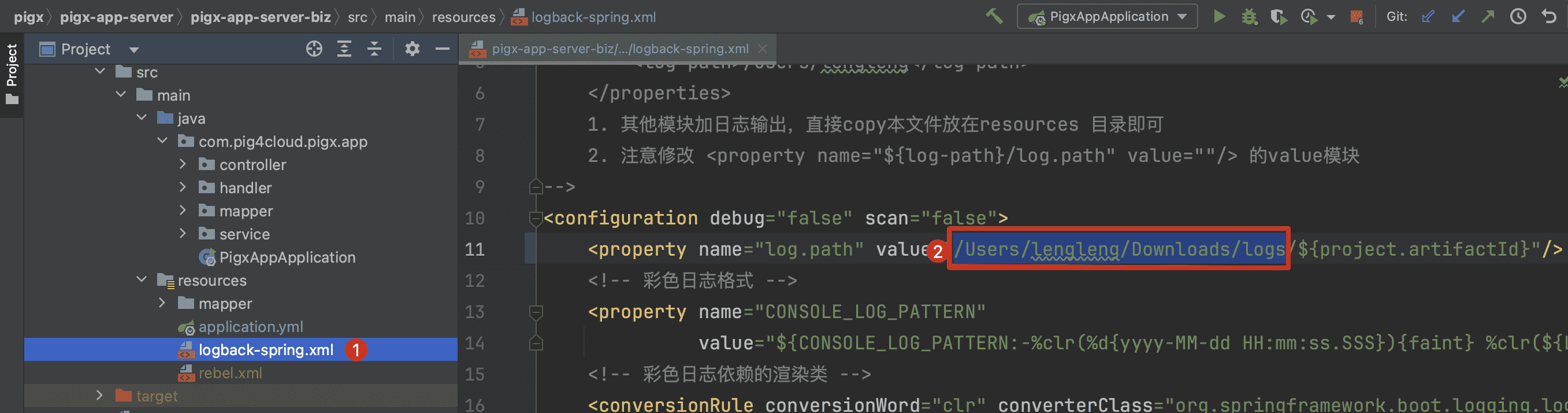
# 1. 配置 logback 输出路径
① 修改目标微服务的 logback-spring.xml 文件
② 修改 log.path 为服务器实际的日志文件存储目录
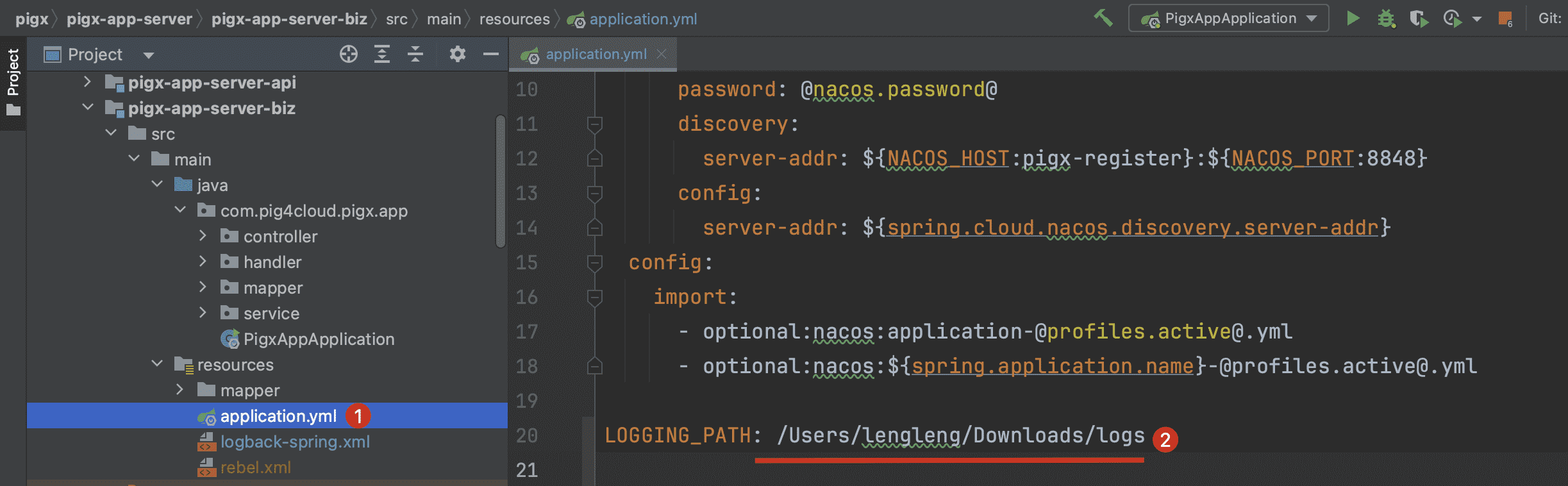
# 2. 配置 monitor 日志加载1 2 3 4 5 `LOGGING_PATH: 对应如上图②处实际的日志文件存储目录` Copied!
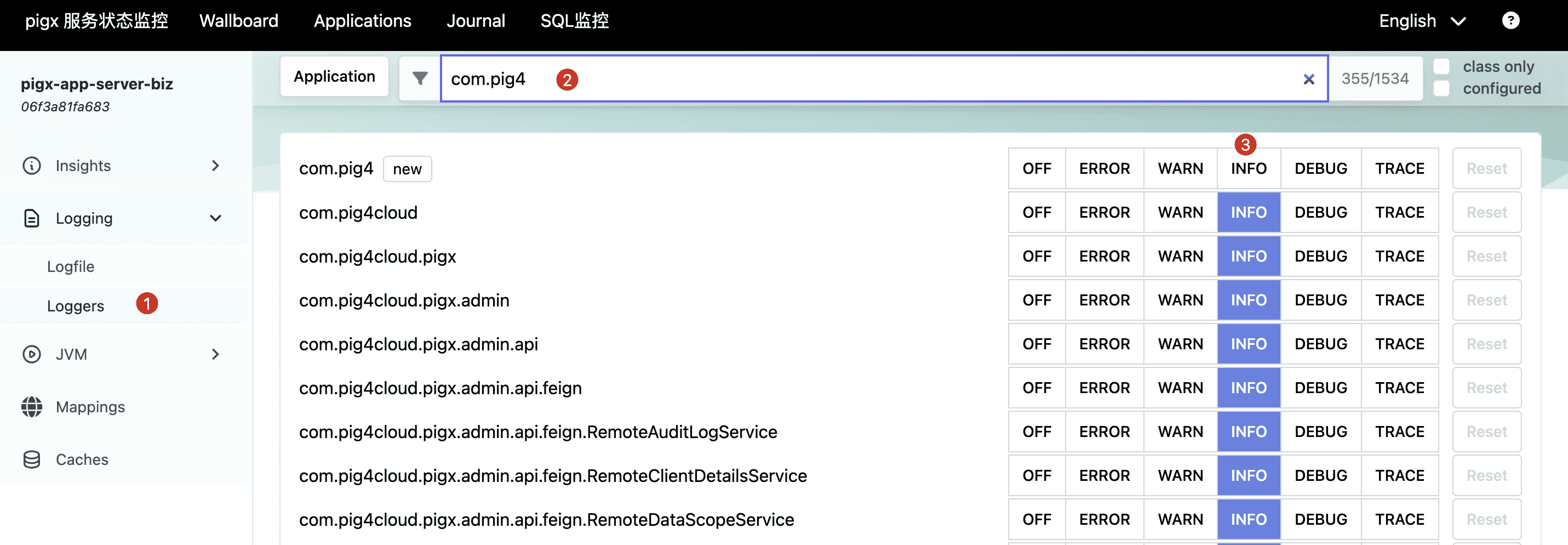
# 动态日志级别应用默认的输出的日志级别是 INFO,生产中建议使用 ERROR 级别。
==目标服务重启后此处配置将失效==
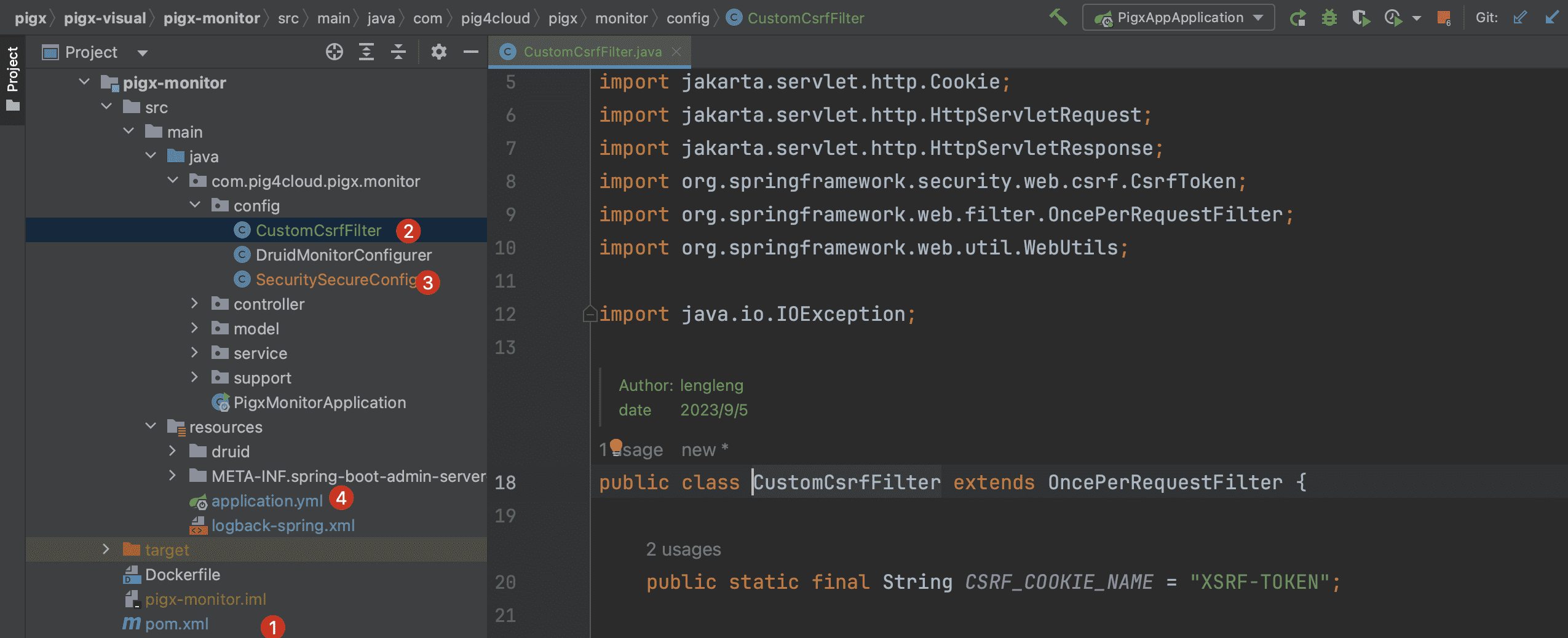
# 监控安全认证==默认情况下,Spring Boot Admin 不提供安全认证,任何用户都可以访问。但可以通过以下配置 bean 来限制登录。==
# 1. 监控服务添加安全依赖1 2 3 4 5 6 7 8 9 <dependency > <groupId > org.springframework.boot</groupId > <artifactId > spring-boot-starter-security</artifactId > </dependency > Copied!
# 2. 创建 CustomCsrfFilter1 2 3 4 5 6 7 8 9 10 11 12 13 14 15 16 17 18 19 20 21 22 23 24 25 26 27 28 29 30 31 32 33 package com.pig4cloud.pigx.monitor.config;public class CustomCsrfFilter extends OncePerRequestFilter { public static final String CSRF_COOKIE_NAME = "XSRF-TOKEN" ; @Override protected void doFilterInternal (HttpServletRequest request, HttpServletResponse response, FilterChain filterChain) throws ServletException, IOException { CsrfToken csrf = (CsrfToken) request.getAttribute(CsrfToken.class.getName()); if (csrf != null ) { Cookie cookie = WebUtils.getCookie(request, CSRF_COOKIE_NAME); String token = csrf.getToken(); if (cookie == null || token != null && !token.equals(cookie.getValue())) { cookie = new Cookie (CSRF_COOKIE_NAME, token); cookie.setPath("/" ); response.addCookie(cookie); } } filterChain.doFilter(request, response); } } Copied!
# 3. 创建 SecurityConfig1 2 3 4 5 6 7 8 9 10 11 12 13 14 15 16 17 18 19 20 21 22 23 24 25 26 27 28 29 30 31 32 33 34 35 36 37 38 39 40 41 42 43 44 45 46 47 48 49 50 51 52 53 54 55 56 57 58 59 60 61 62 63 64 65 66 67 68 69 70 71 72 73 74 75 package com.pig4cloud.pigx.monitor.config;@Configuration(proxyBeanMethods = false) public class SecuritySecureConfig { private final AdminServerProperties adminServer; private final SecurityProperties security; public SecuritySecureConfig (AdminServerProperties adminServer, SecurityProperties security) { this .adminServer = adminServer; this .security = security; } @Bean protected SecurityFilterChain filterChain (HttpSecurity http) throws Exception { SavedRequestAwareAuthenticationSuccessHandler successHandler = new SavedRequestAwareAuthenticationSuccessHandler (); successHandler.setTargetUrlParameter("redirectTo" ); successHandler.setDefaultTargetUrl(this .adminServer.path("/" )); http.authorizeHttpRequests((authorizeRequests) -> authorizeRequests .requestMatchers(new AntPathRequestMatcher (this .adminServer.path("/assets/**" ))) .permitAll() .requestMatchers(new AntPathRequestMatcher (this .adminServer.path("/actuator/info" ))) .permitAll() .requestMatchers(new AntPathRequestMatcher (adminServer.path("/actuator/health" ))) .permitAll() .requestMatchers(new AntPathRequestMatcher (this .adminServer.path("/login" ))) .permitAll() .dispatcherTypeMatchers(DispatcherType.ASYNC) .permitAll() .anyRequest() .authenticated()) .formLogin( (formLogin) -> formLogin.loginPage(this .adminServer.path("/login" )).successHandler(successHandler)) .logout((logout) -> logout.logoutUrl(this .adminServer.path("/logout" ))) .httpBasic(Customizer.withDefaults()); http.addFilterAfter(new CustomCsrfFilter (), BasicAuthenticationFilter.class) .csrf((csrf) -> csrf.csrfTokenRepository(CookieCsrfTokenRepository.withHttpOnlyFalse()) .csrfTokenRequestHandler(new CsrfTokenRequestAttributeHandler ()) .ignoringRequestMatchers( new AntPathRequestMatcher (this .adminServer.path("/instances" ), POST.toString()), new AntPathRequestMatcher (this .adminServer.path("/instances/*" ), DELETE.toString()), new AntPathRequestMatcher (this .adminServer.path("/actuator/**" )) )); http.rememberMe((rememberMe) -> rememberMe.key(UUID.randomUUID().toString()).tokenValiditySeconds(1209600 )); return http.build(); } @Bean public InMemoryUserDetailsManager userDetailsService (PasswordEncoder passwordEncoder) { UserDetails user = User.withUsername(security.getUser().getName()) .password(passwordEncoder.encode(security.getUser().getPassword())) .roles("USER" ) .build(); return new InMemoryUserDetailsManager (user); } @Bean public PasswordEncoder passwordEncoder () { return new BCryptPasswordEncoder (); } } Copied!
# 4. 配置登录用户1 2 3 4 5 6 7 8 9 spring: security: user: name: pigx password: pigx Copied!
📄 @SysLog 日志注解使用 📄 Druid 分布式 SQL 监控使用